Plan a month of content in 10 minutes
No more staring at a blank screen for hours on end
Built for shop owners who post on TikTok, Shopee, Facebook & Instagram
See what AI generates for your shop
Pick an industry — drop in two product shots, get back a post ready to publish
New matte lipstick in earthy nude tone, 180k VND, claims no-dry formula
From product photos → a post ready to publish
Drop in two product shots, get back a designed image with caption baked in — like a content + design teammate, just 100× faster.
 #1
#1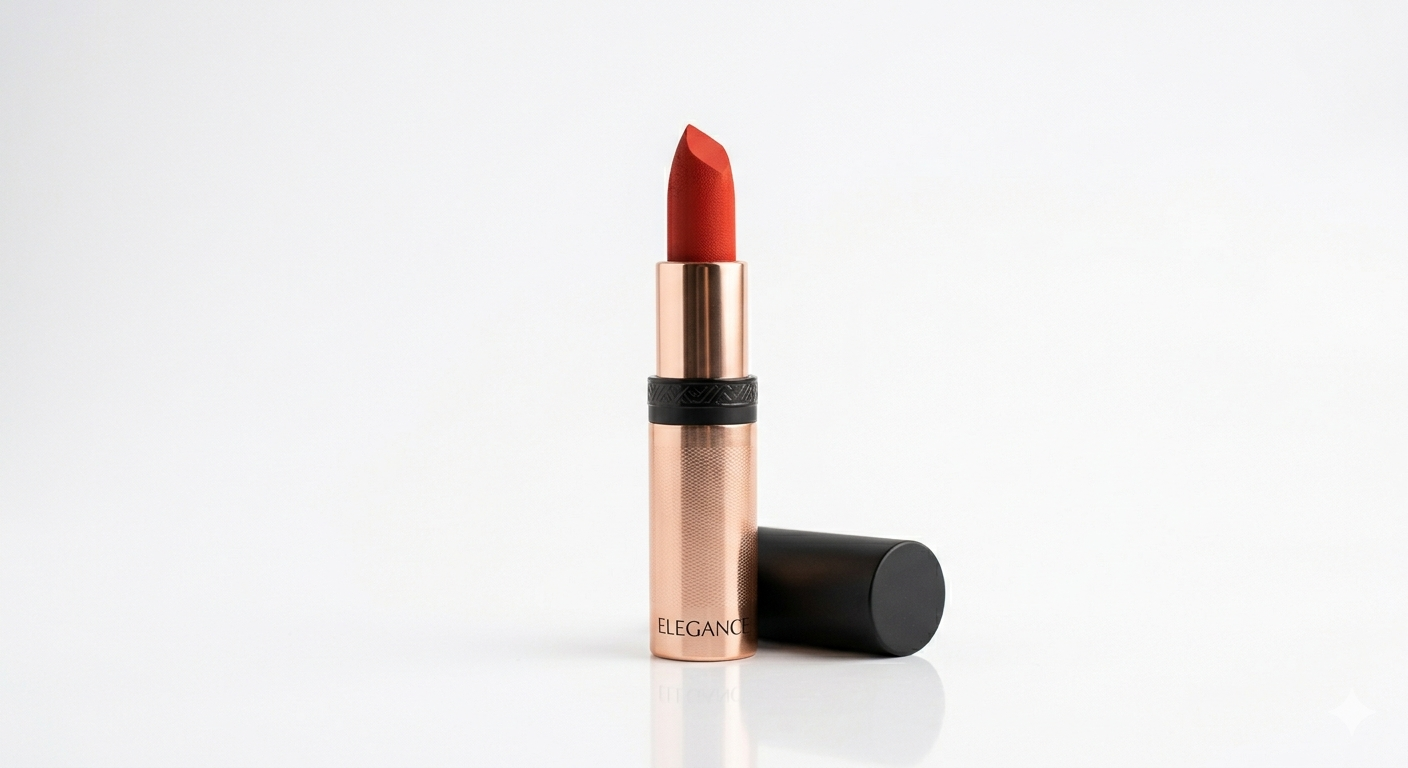 #2
#2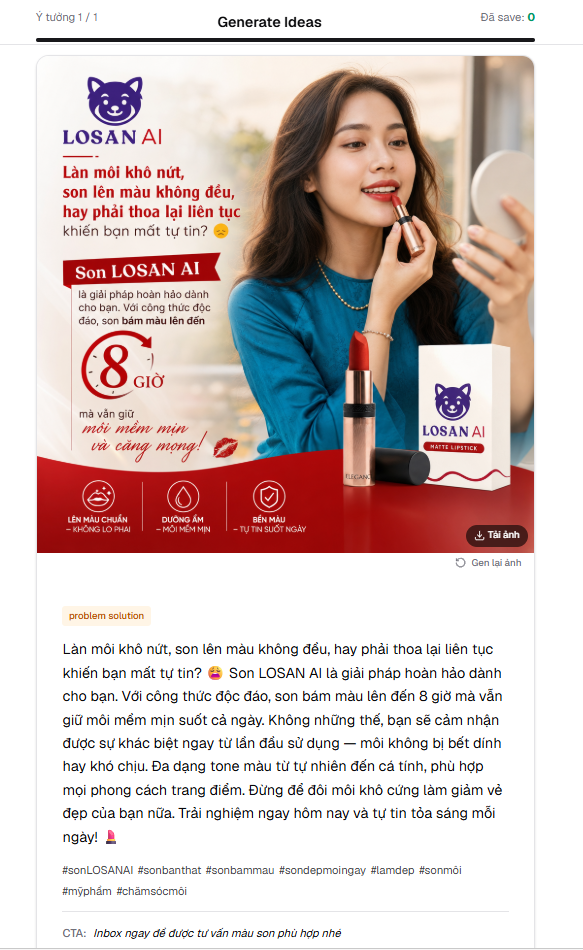
Why most shop owners need a content planner
What you gain
- ✓ Save 5+ hours a week: A month of ideas in one sitting instead of nightly improvisation
- ✓ On-brand by default: AI knows your niche and tone, so captions stop sounding generic
- ✓ Never run out of ideas: Generate 10+ post angles per round, keep the best, archive the rest
- ✓ Visual clarity: Kanban shows exactly what is queued, approved, and already posted
- ✓ Multi-brand ready: Manage several shops or personal brands from one dashboard
What happens without one
- ⚠ Posting burnout: Daily "what do I write today?" anxiety kills consistency
- ⚠ Off-brand copy: Generic AI prompts produce captions that could belong to any shop
- ⚠ Lost ideas: Good ideas in your head at 2 AM are forgotten by Monday morning
- ⚠ Inconsistent posting: No queue means quiet weeks and panicked weekends
- ⚠ Wasted ad spend: Without a content plan, paid posts have nothing organic to amplify
How LOSAN Content Planner works
Create a brand: niche, tone, audience, what you sell
Generate 10+ post ideas in one click — angles, hooks, captions
Approve the good ones, archive the rest, keep your kanban clean
Post when ready, mark as Posted, watch your queue stay full
Why LOSAN Content Planner?
Most content tools are built for marketing teams with budgets. LOSAN is built for the shop owner who is also the photographer, the customer-service rep, and the accountant — someone who needs ideas now, not after a 30-minute onboarding flow.
Copy-paste your caption in 5 seconds. No OAuth dance, no data-leak risk, no platform lock-in, no per-seat pricing. You bring the brand, LOSAN brings the ideas — posting itself stays in your hands, the way platforms reward organic reach.
Captions match your niche and voice on the first try
5 seconds to publish — no OAuth, no data leak
Idea → Approved → Posted, that is it
How to plan content that actually sells
1. Set up your brand once, properly
Spend 5 minutes telling the AI what you sell, who buys from you, and how you talk. "Premium skincare for women 30+ worried about pigmentation, conversational tone, no hype" beats "skincare shop" every time. Skip this and every post will sound like a stock template.
2. Generate in batches, edit on cool days
Sit down once a week, generate 10–15 ideas, leave them in the Ideas column. Come back the next day and approve the 4–5 that still feel right. Distance improves judgement.
3. Mix idea types, not just sales posts
80% of your feed should be value, story, or behind-the-scenes. 20% direct sell. The planner gives you variety on tap — use it.
4. Archive ruthlessly
Not every idea is gold. Drag the weak ones to Archive without guilt. Saying no to mediocre content is how brands stay sharp.
Simple pricing
Start free. Upgrade when you ship more.
- 1 brand
- 5 posts / month
- Kanban board
- Copy-paste captions
- 3 brands
- $50 media credit / month
- Premium image generation & edit
- Finished posts, ads & product shots
- Unlimited brands
- $150 media credit / month
- Highest-volume generation
- Priority rendering for video & deliverables
No credit card to start · cancel anytime · prices in USD
Testimonials
What shop owners say about LOSAN Content Planner
"I used to burn 3 hours every week brainstorming captions. Now it is 15 minutes for the whole month, and engagement is up roughly 40%. My Sunday evenings came back."
"The kanban view sold me. I can see at a glance what is queued and what already went live. No more "did I post this already?" moments — and no more half-empty posting weeks."
"After I tuned the brand voice, captions actually sound like me, not a corporate ad. I went from 2 posts a week to 5 without spending more time at the keyboard."
"One dashboard with a separate kanban per brand saved me from juggling 3 Notion pages and 3 Google docs. Switching between shops takes one click instead of one panic."
FAQ
Frequently Asked Questions
No, and on purpose. Auto-posting tools get throttled by platforms and produce copies that look like spam. LOSAN gives you ready-to-post captions and ideas — you paste and post manually in 5 seconds, which preserves reach, keeps you in control, and means we never need OAuth access to your accounts (no data-leak risk).
Yes, this is exactly who LOSAN Content Planner was built for. Tell the AI your shop niche (skincare, fashion, home, food, etc.) and tone, and you get post ideas tuned for marketplace shop voice — not generic "engagement bait".
Yes. Each brand has its own Kanban, niche, and tone. Paid tiers unlock more brand slots so you can run a main shop, a side project, and a personal account from one dashboard.
Almost always a brand setup issue. Be specific: "premium skincare for women 30+ worried about pigmentation, conversational tone, no hype" produces very different ideas than "skincare shop". Edit the brand, regenerate.
Yes — the free tier lets you set up one brand and generate a limited number of posts per period, enough to feel whether the workflow fits you. Paid tiers start at $5/month (Basic — more posts, more brand slots) and $15/month (Advanced — highest quota and priority generation). No credit card to start.
Yes. Anything the planner produces for you is yours to edit, post, and reuse however you want. LOSAN does not claim rights over your content.
Ready to stop dreading content day?
Set up your brand in 2 minutes, generate a month of ideas, and get your evenings back. Free to start — no credit card, no platform connection required.